Soniflux
A recording studio that lives in a browser tab, built around AI nodes instead of a track list. I sing and play; the graph makes it sound like the record.
- What it is
- A node-based DAW in the browser
- Made for
- Cywren's album
- Runs on
- A self-hosted box with an RTX 3090
- Built with
- TypeScript, Web Audio, React Flow; Python for the AI
Cywren isn't real. I made her up so I'd have someone to write songs for.
The first one came out better than I expected, so I kept the same voice prompts and kept writing. Each song got a little easier to produce than the last. At some point it turned into a proper project: give her a voice, motives, a personality, write those into the lyrics and the feel of every track, and build an album around her.
Soniflux is the studio that album gets made in.
Six months, by hand
Here's how I'd been making music for the last year. Record a take. Upload it to one AI tool. Download the result. Upload that to another tool. Download again. Drag everything into a DAW. And start over the moment I wanted to change a line.
The first three Cywren songs took most of six months. The lyrics and the basic melodies were in my head from the start, so that wasn't where the time went. It went into the pipeline. Every song I changed some of the tools, updated the scripts that strung them together, generated parts, and then assembled them in a DAW by hand. None of it carried over cleanly to the next song.
What changed was a conversation. I pointed Claude Fable at the scripts and the process, spent about thirty minutes describing what I actually did to a song and where it hurt, and asked for one tool that could do all of it in the browser. Assemble my recordings, run them through the AI steps, and hand the result back to a console where I could polish it.
Everything on this page came out of that request over the following days, in milestones I reviewed one at a time.
I sing and play; the graph makes it sound like the record.
The part I care about most is the middle. If I don't like a sound, or I want to change a lyric, I don't go back to the start anymore. I chain a different set of nodes onto the take and run it again.
The graph is the session
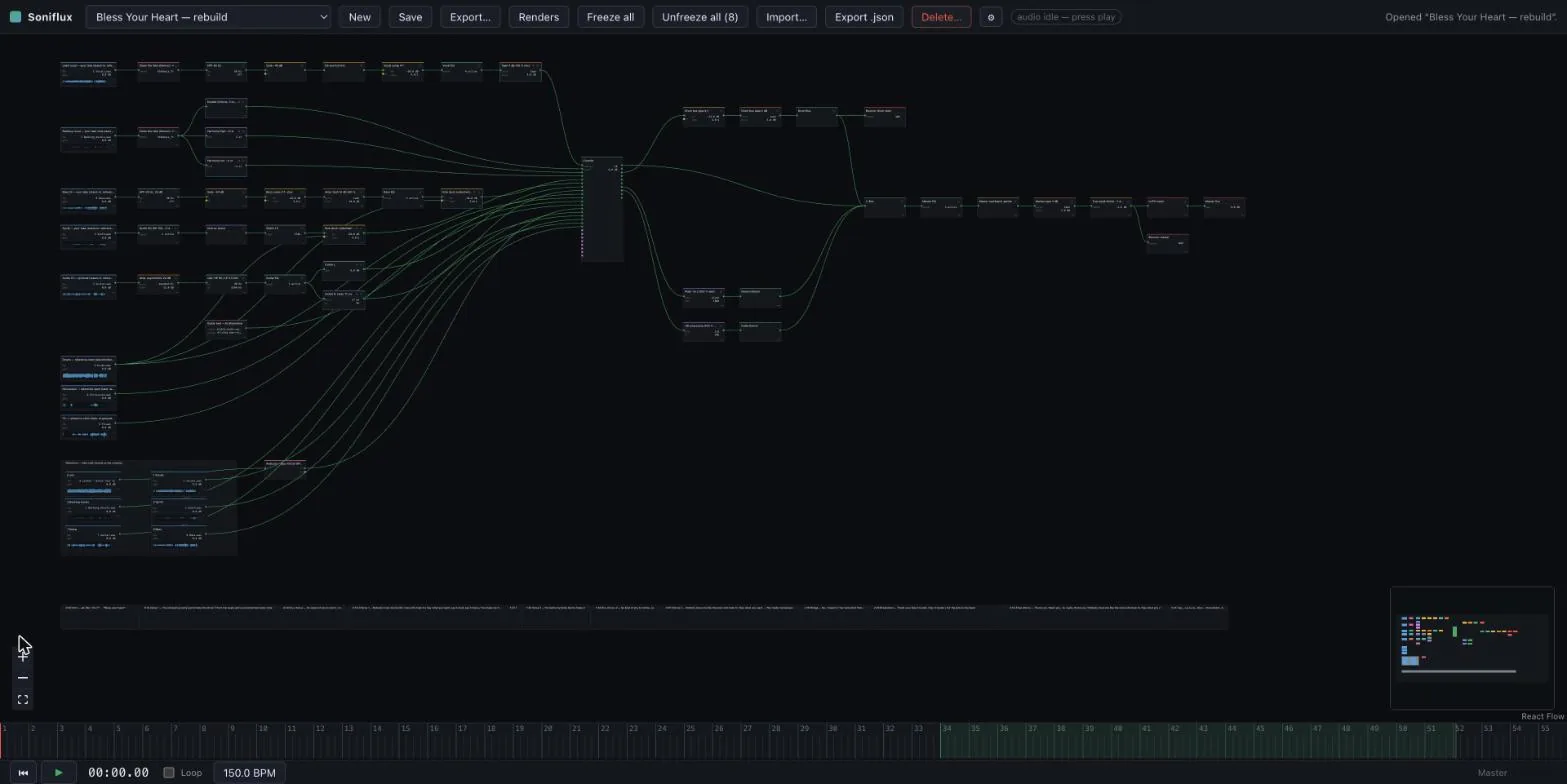
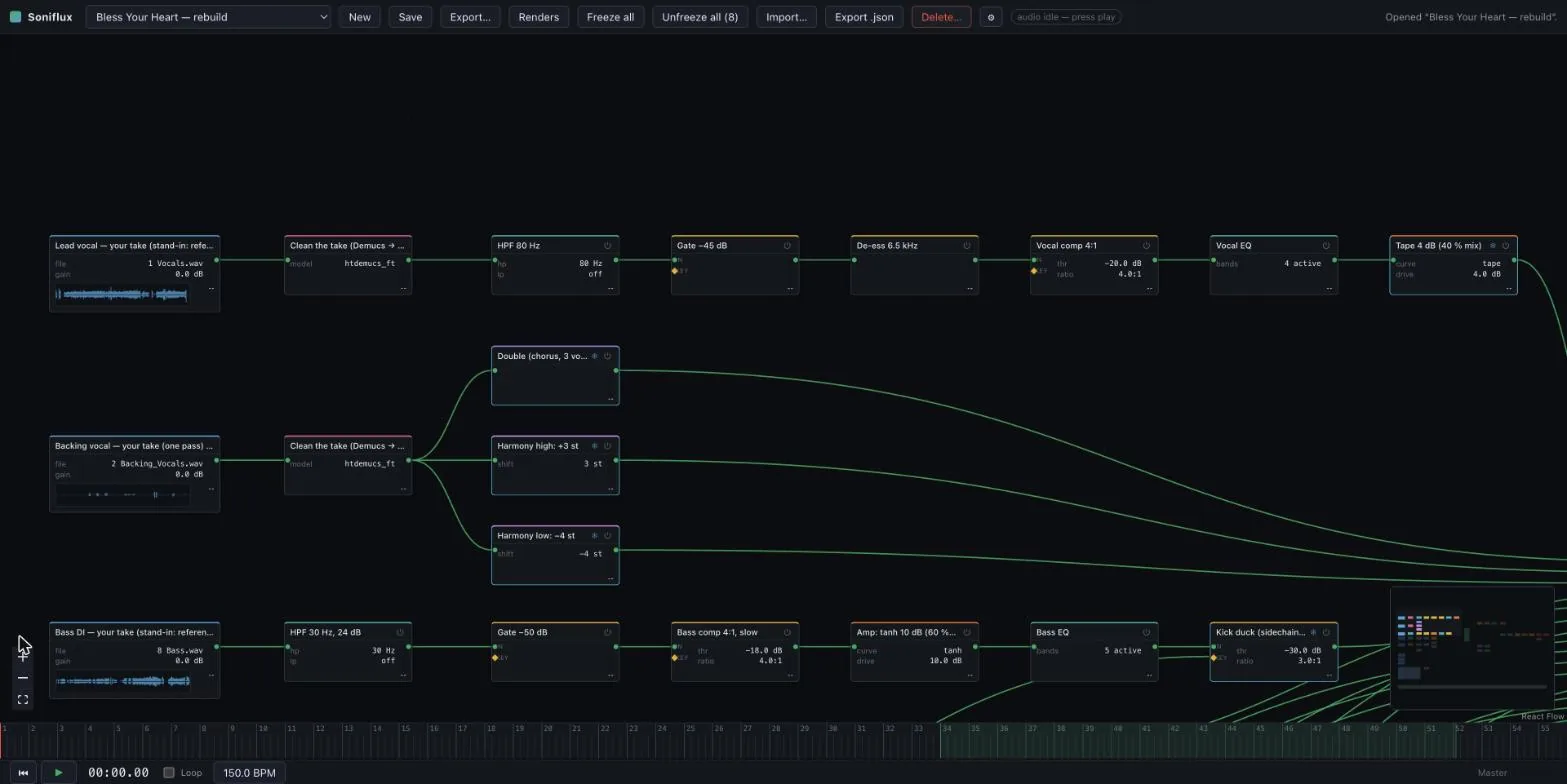
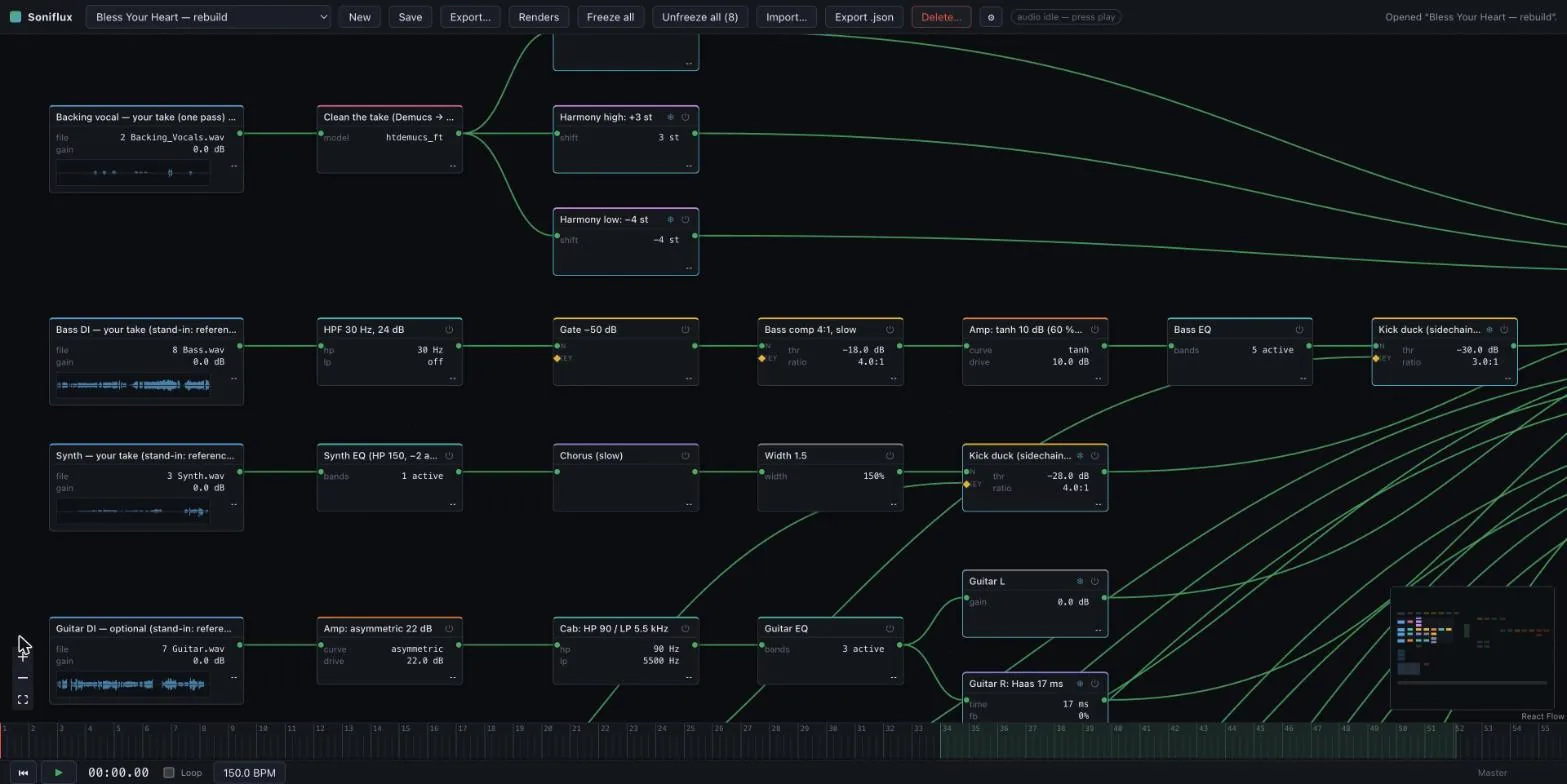
There's no track list. A song is a graph: my takes on the left, a console in the middle, buses and a master chain on the right, and every wire is a signal path you can actually see.
The graph is the only thing the project file stores, and the audio engine gets compiled from it. That one decision is what lets the same graph drive live playback in the tab and a bounce on the server. There's exactly one description of the mix, and two things that read it.
From my take to her voice
This is the loop the whole tool exists for, so let me walk one vocal through it.
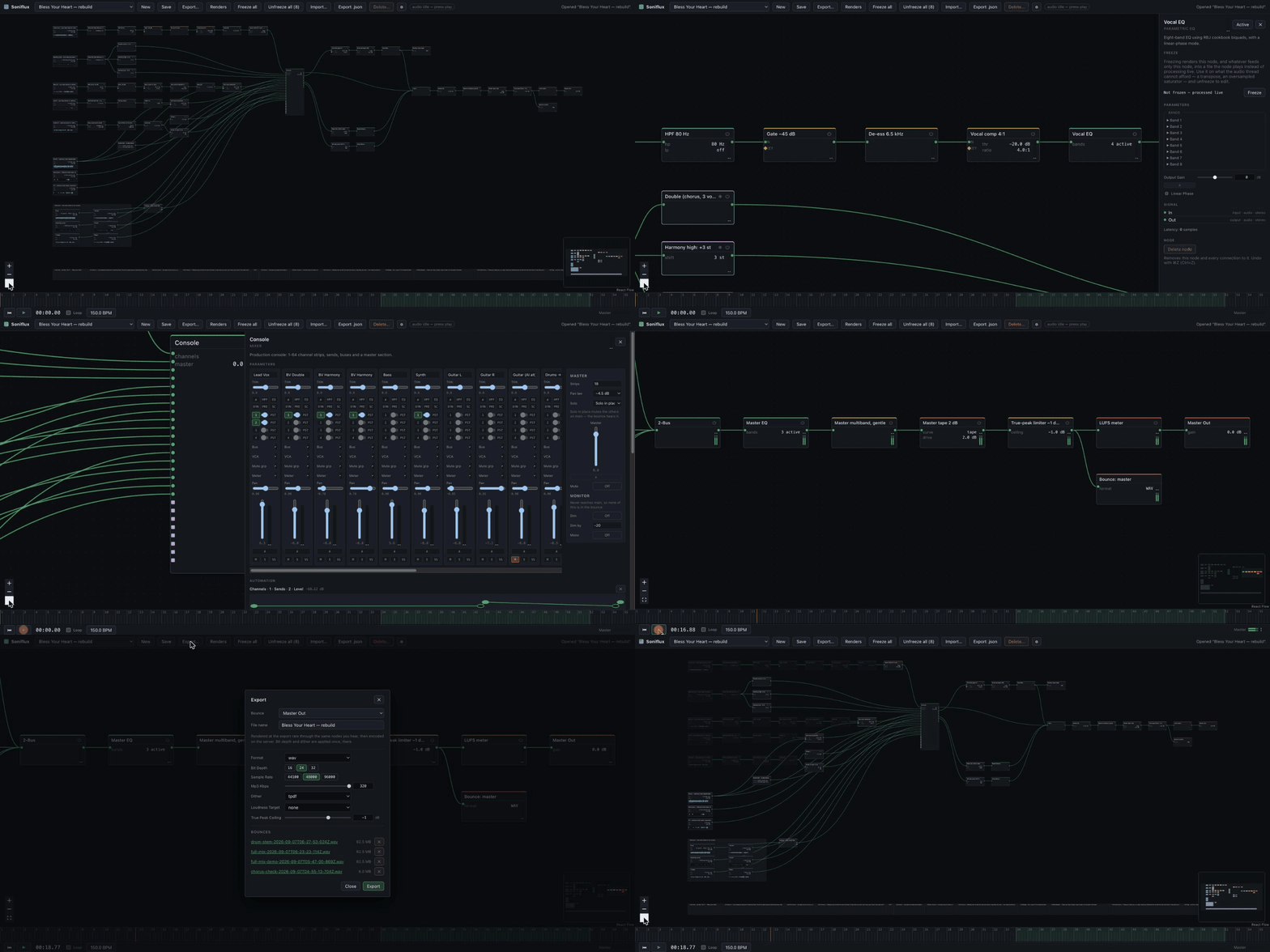
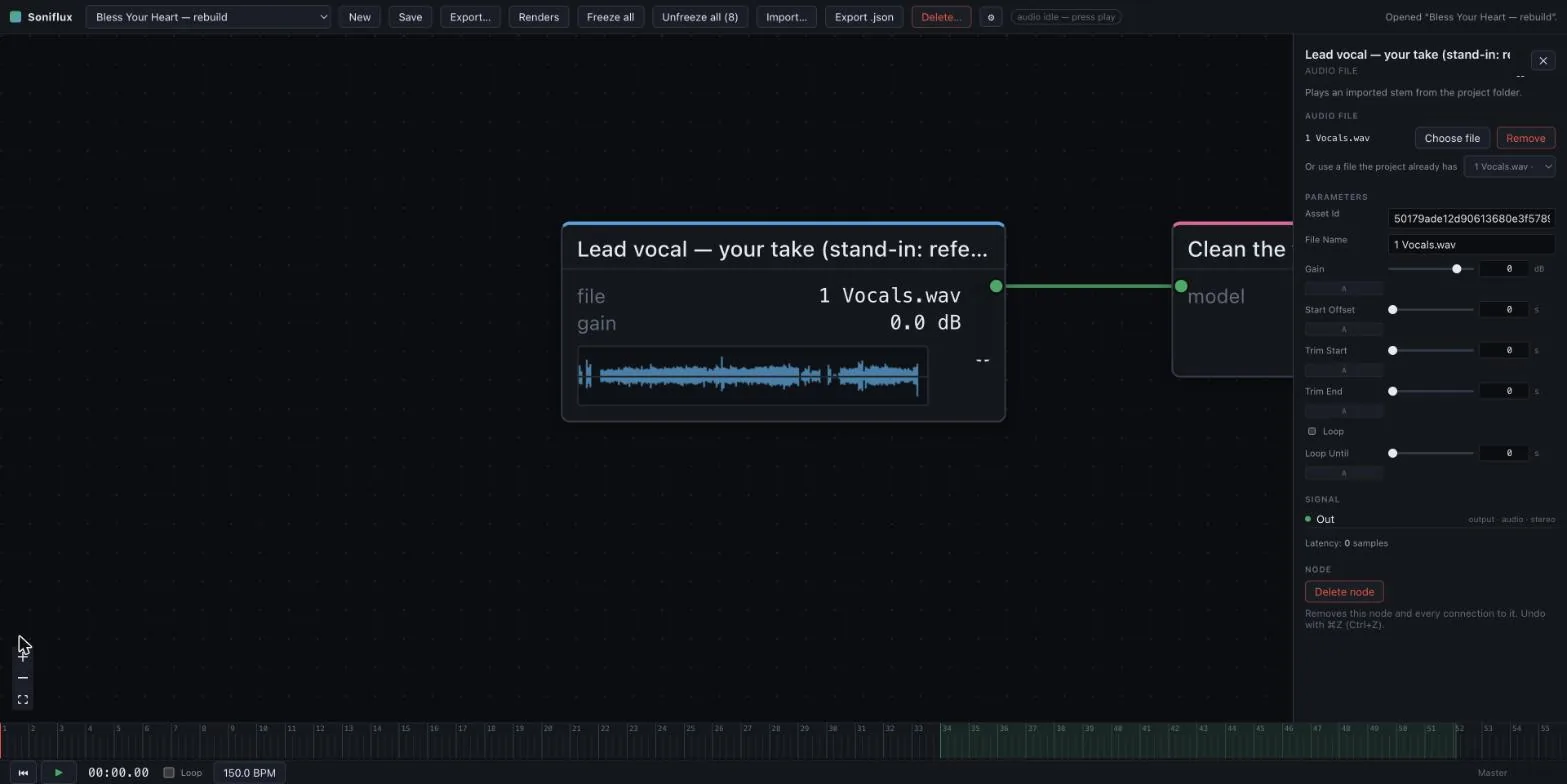
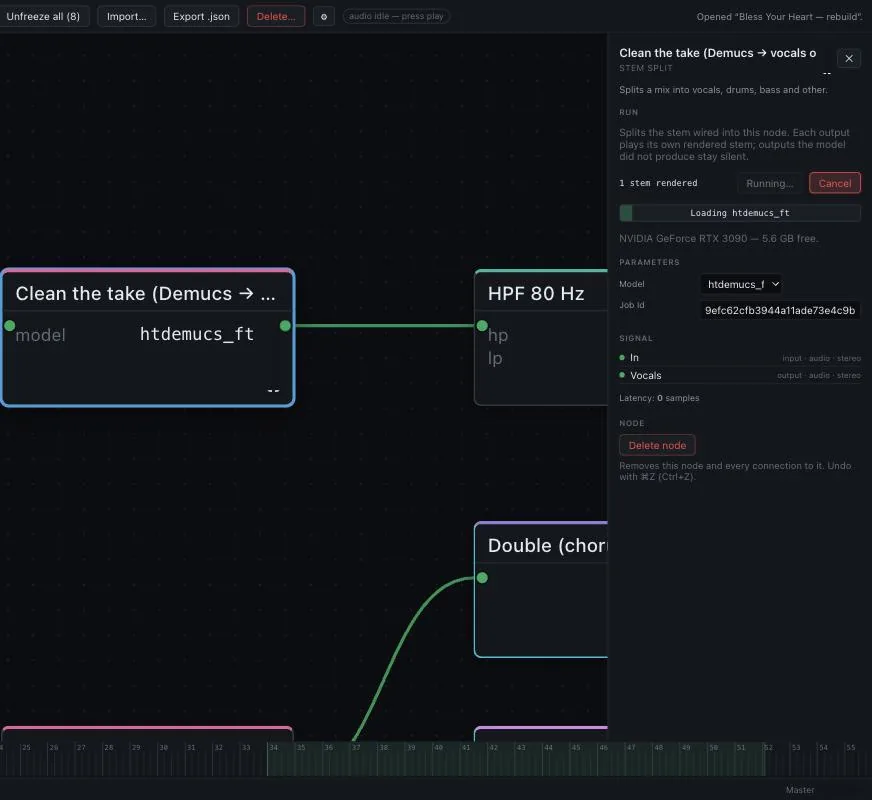
I record it dry. Close mic, no reverb, no tuning. It goes into a file node, and the first thing it meets is Demucs, which pulls out just the vocal. Room noise, bleed and the click track are gone before anything else touches it.
Then it gets put in tune and on the grid. The tuning node works out where each note sits and how far to move it, and hands that back as an automation curve rather than just doing it to the audio. Timing works the same way against the tempo map. Which means if I don't like a correction, I can grab the curve and fix it by hand.
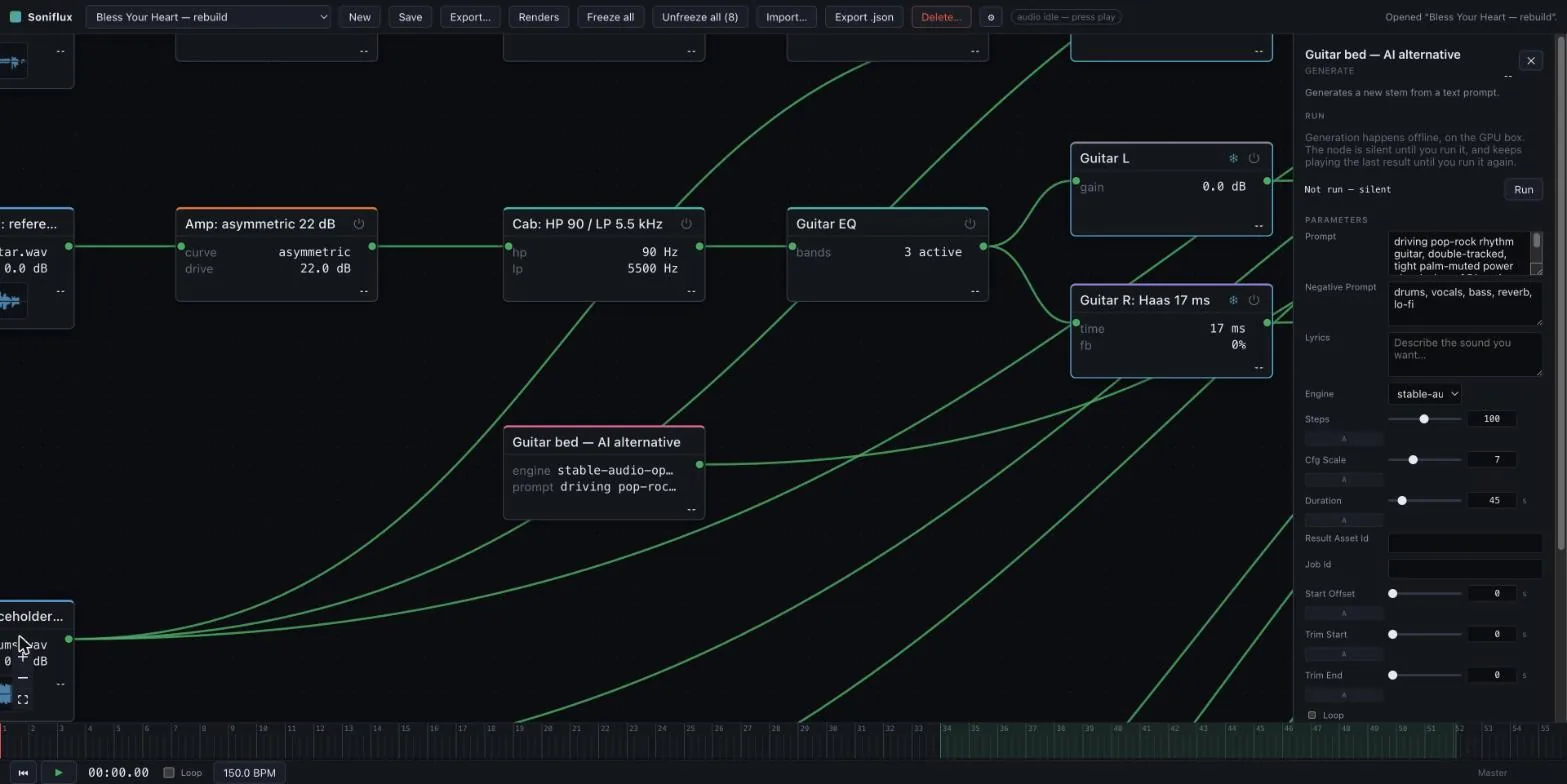
Then comes the part that makes it hers. Prompt Regenerate takes my take, a prompt that describes her, and a strength control that decides how much of me survives. Low strength keeps my phrasing and inflection and changes the timbre. High strength keeps only the shape. And for a line I've only hummed, the ACE-Step engine can take lyrics with verse and chorus markers and just sing them outright.
Don't like the second line? Change the prompt, or sing it again with the inflection I want, and run that one node. Nothing downstream has to be rebuilt, because downstream is just wires.
After that it's ordinary mixing. High-pass, gate, de-ess, compress, EQ, a little tape. The same chain a mix engineer would build, just as nodes.
One take, three voices
The backing vocals are where a graph really pays for itself.
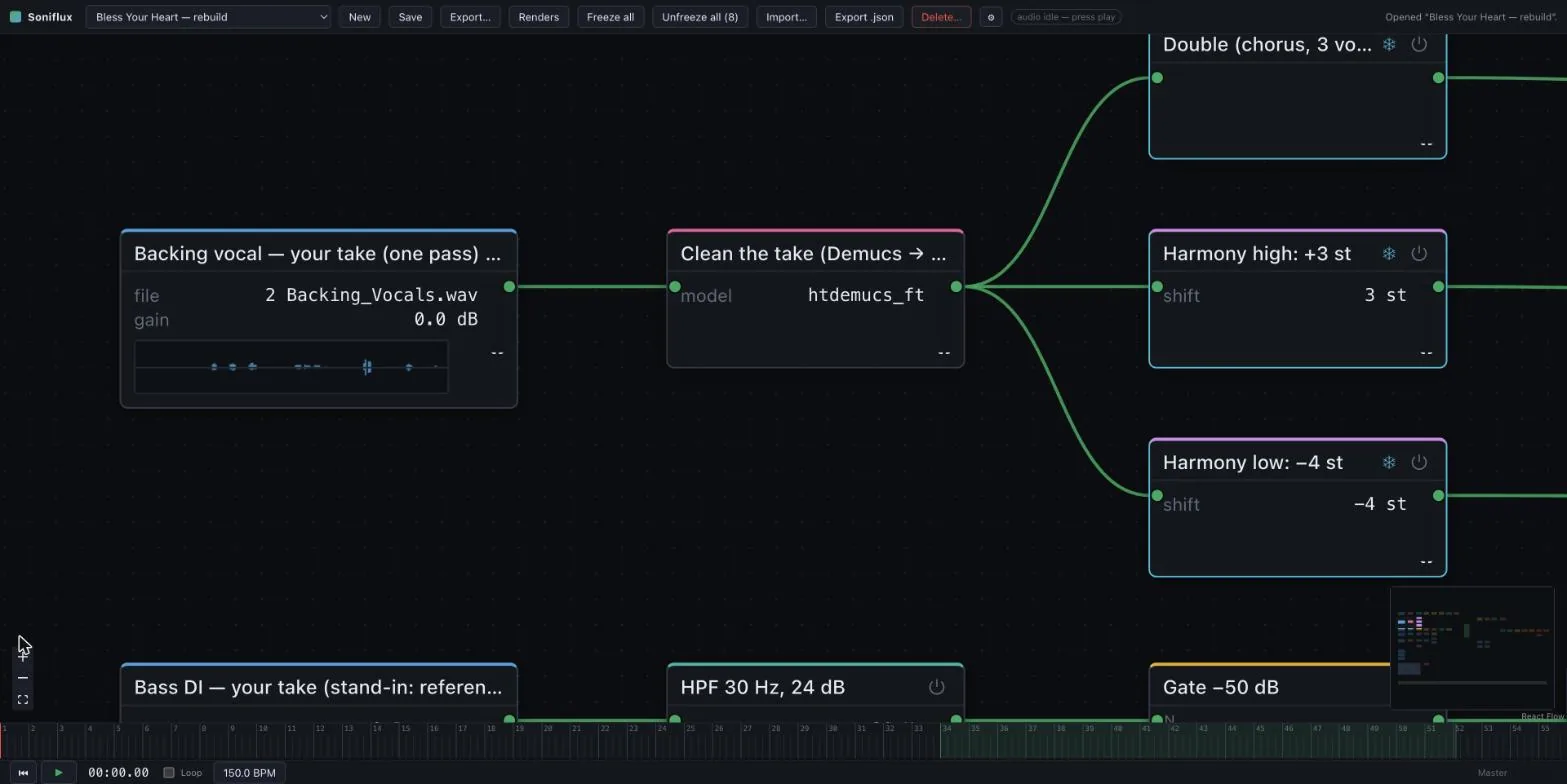
I sing the chorus hook once, in unison. One node cleans it, and its single output feeds three more: a three-voice chorus for the double, a transpose up a third for the high harmony, and a transpose down a fourth for the low one.
Three parts from one take. And if the take changes, all three follow.
Sharing one GPU
All the AI work runs on the server, on an RTX 3090 that isn't in the same room as my laptop. The tab submits a job, follows its progress, and pulls the result into the graph when it lands. So closing the tab doesn't lose the work.
The thing that made that livable is that the GPU is leased, not grabbed. A broker hands out time on the card with a deadline. If a job shows up while another one is running, it waits in line and can tell you where it is in the queue. The alternative is letting it in anyway, running out of VRAM, and crashing the job that was already there. And a driver that blows past its deadline gets stopped, not asked nicely.
The heavy models also don't run inside the service. ACE-Step pins versions of its dependencies the service can't share, so it runs off in its own environment and reports back one progress line per stage and one file at the end.
The very first generation on the box ran all the way to completion and then failed on the last line. Saving the file. The fix was a shim. The lesson was that the contract has to include the save.
When the laptop can't keep up
Every node has a Bypass and a Freeze, and those two matter more than any knob.
Bypass isn't a switch inside the node. It actually takes the node out of the graph and wires around it, so a bypassed node costs nothing and doesn't add latency the rest of the mix has to wait for.
Freeze renders whatever a node puts out, stores it, and swaps the node for a player of that audio. It exists because the live graph runs on one audio thread, and this song's five oversampled saturators and two pitch shifters need about 122% of a core to play in real time.
A mix you can't audition isn't a mix. Freeze all does every chain at once and leaves the console live.
A real desk, and a real bounce
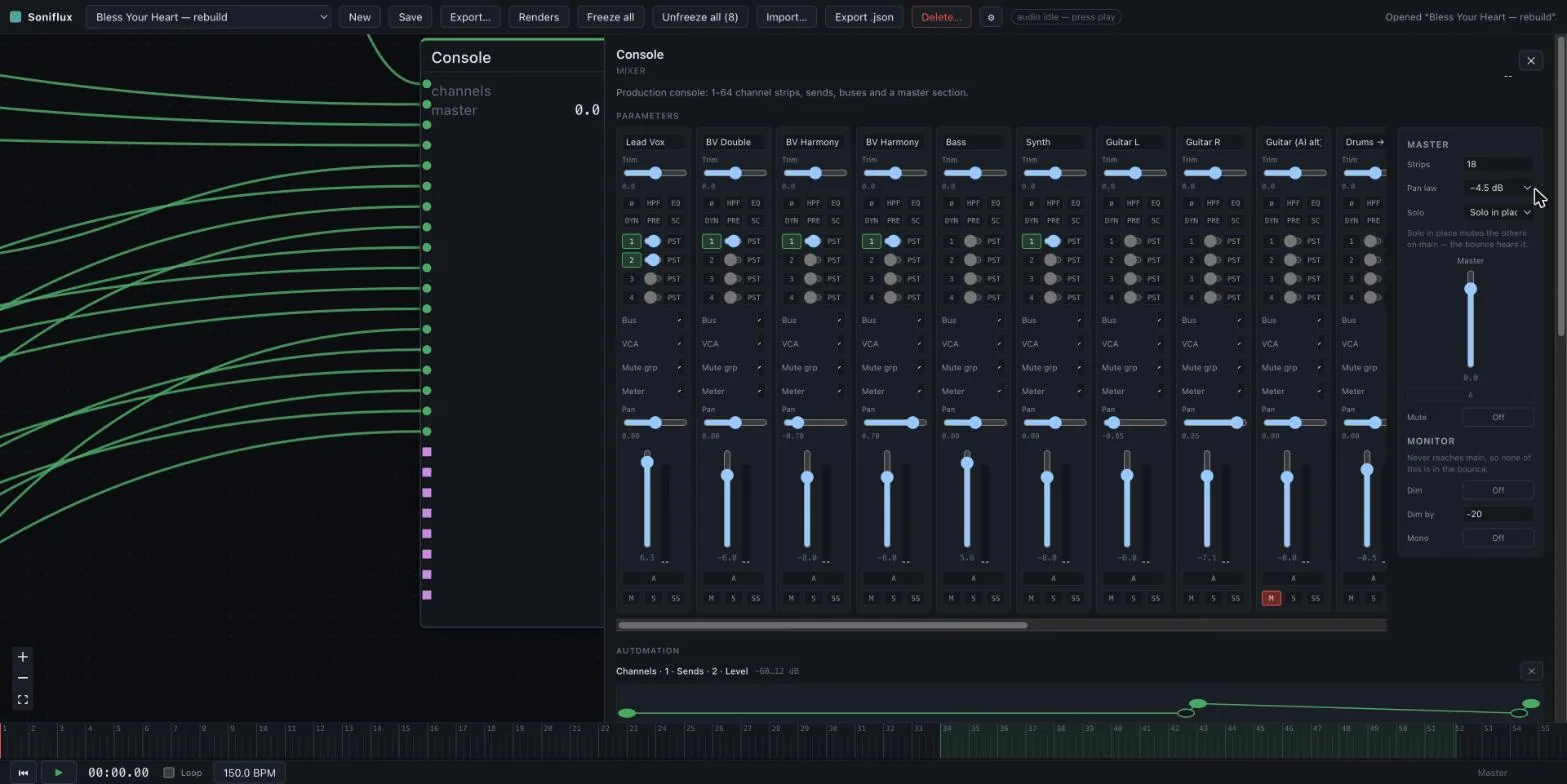
The console is one node with a proper desk inside it. Up to sixty-four strips, buses, sends, VCAs and a master section. I built it to behave like a console instead of a plugin chain, and the solo is the best example. Two of its three solo modes only change what I hear in the monitors and leave the main mix alone, so I can't wreck a take that's being recorded just by listening closer.
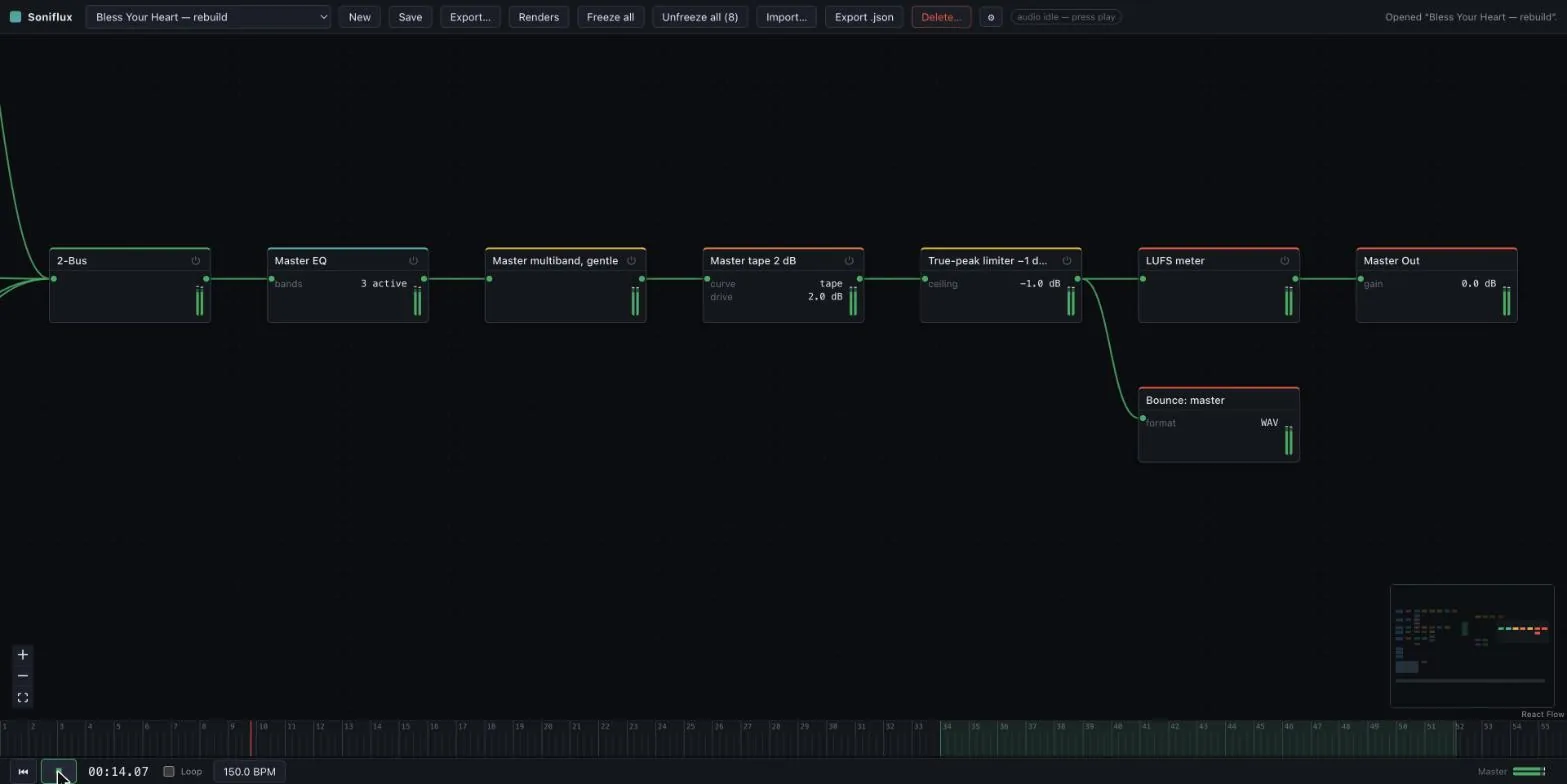
Export runs the graph through the same DSP I've been listening to, and by default it happens on the server, because that's where the audio already lives. Only the graph crosses the network, and the bounce survives a closed tab. It also trims off whatever latency the plugin chain added, so two bounces of the same music actually null against each other.
Want stems? Drop in more than one Export node. Each one renders only what feeds it.
The first thing I ever profiled in the repo was the saturator's oversampler. It turned out to be 87% of a channel's render cost. Skipping the math that was always going to be zero took a bounce from 6.5 seconds to about 2, and there's a test that holds the new version sample-for-sample to the old one.
Nothing gets thrown away
Two small details that earn their keep.
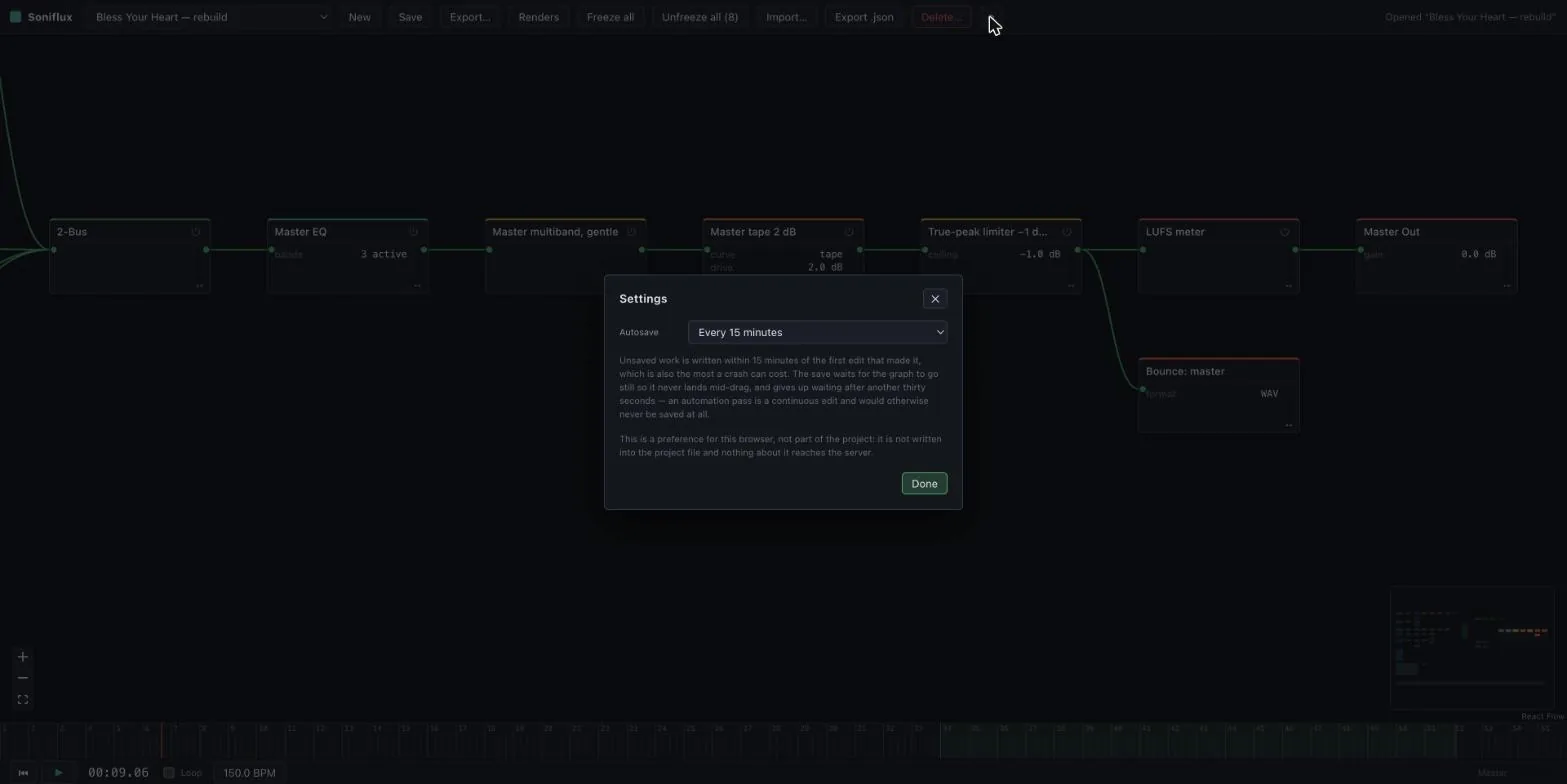
Autosave waits for the graph to go still for three seconds before it saves, so it never lands in the middle of a fader drag. It gives up waiting after thirty, because an automation pass is one long continuous edit and would otherwise hold a whole take unsaved.
And nothing in Soniflux deletes anything. Removing a project, a stem or a bounce just moves it into a trash folder with a timestamp on it, and the app tells you where. Getting it back is one move in a shell. No timer ever throws audio away on its own.
Under the hood, briefly
It's a TypeScript workspace with a Python service for the AI, deployed with one script to the machine that has the GPU and the storage. The engine has no idea whether it's running in a tab or in a headless render on the server. Assets are stored by the hash of their contents and hard-linked instead of copied, so re-importing a 400 MB multitrack costs no disk at all. And there's a licence gate in the build that refuses any model weights whose terms the project hasn't accepted.
Why it looks like this
A DAW hides the signal path behind a track list. That's fine when the signal path is a microphone and a fader. It's not fine when half the path is a model re-singing the take, because then the interesting decisions are exactly the ones the track list hides.
Soniflux draws the path. A take is a node, her voice is a node, the console is a node. When something's wrong, I can point at it. When something's right, I can copy it to the next song. That's what six months by hand never gave me, and it's the only reason this exists.
The wire between them is the whole explanation of how a song gets from what I sang to what she sings.